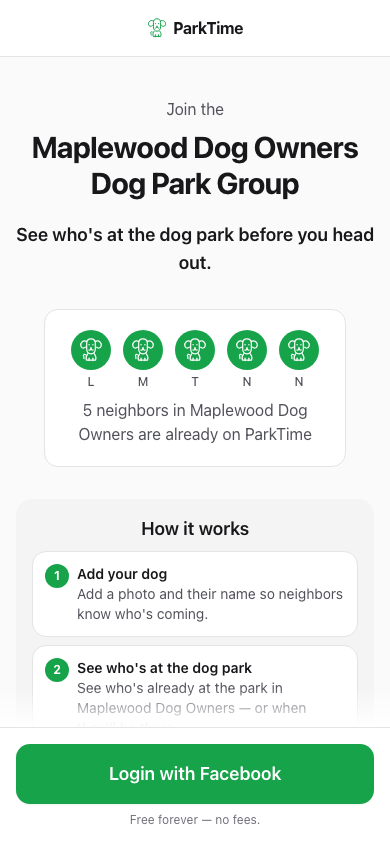
Get invited
Every community has a persistent link like this one — shared by a neighbor, posted on a community board, or sent in a text. It shows exactly who you'd be joining before you sign in.
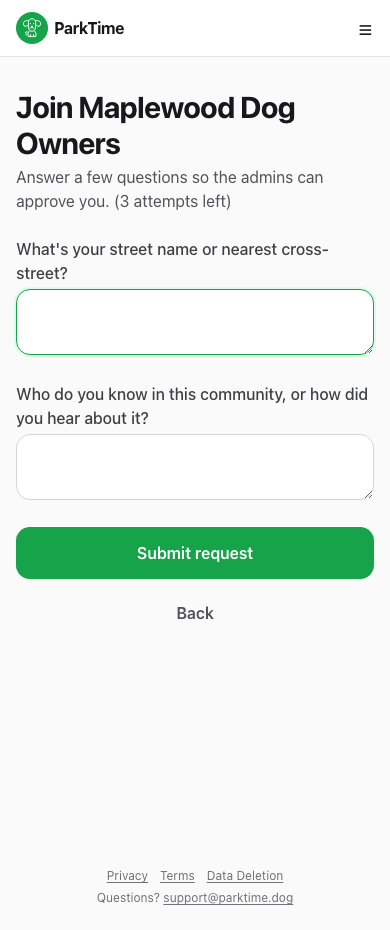
Answer a couple of quick questions
A short, friendly check — nothing formal. It's how communities make sure new members are actual neighbors, not strangers off the internet.
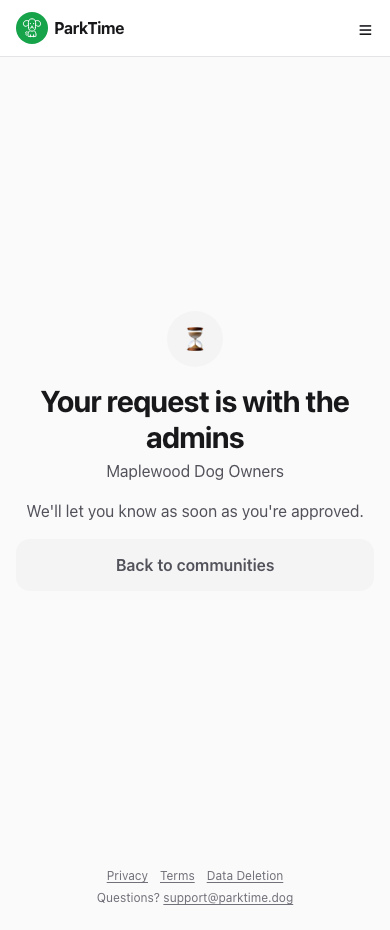
Your request goes to the admins
A real neighbor — the community's admin — reviews every request personally. You'll be able to use ParkTime as soon as they approve you.
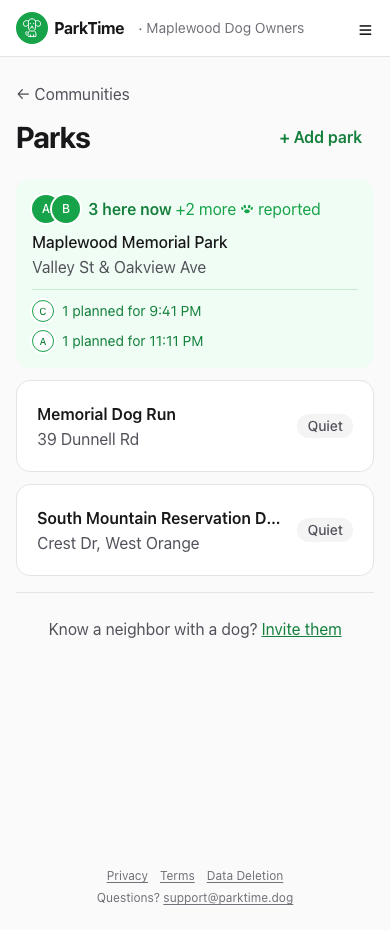
You're in — see every park at a glance
Once approved, you'll see every dog park your community uses, with a live count of who's there right now and who's planning to be later.
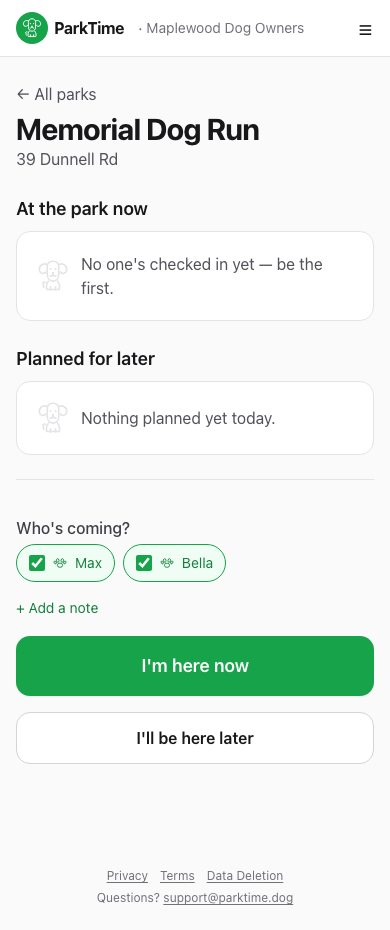
Check in — say who's coming
Tap into any park, pick which of your dogs are with you, add a quick note if you like, and let neighbors know you're headed out.
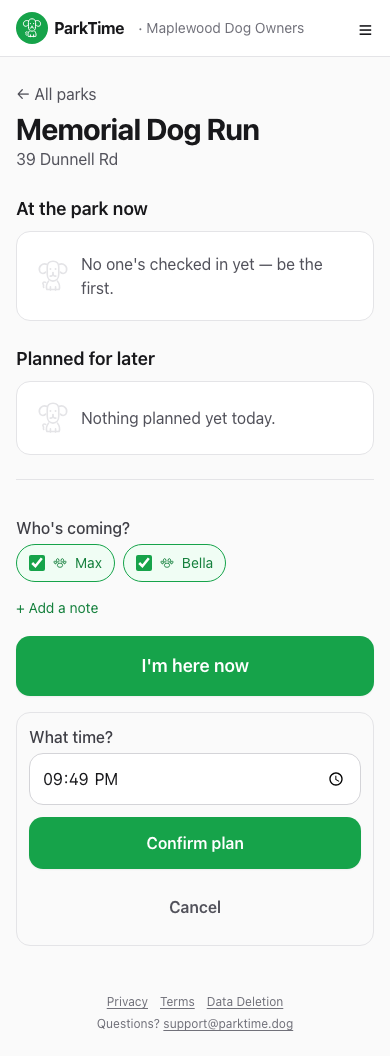
Not going yet? Plan ahead
Not heading out yet but know you will be? Set a time and neighbors will see you're planning to be there later today.
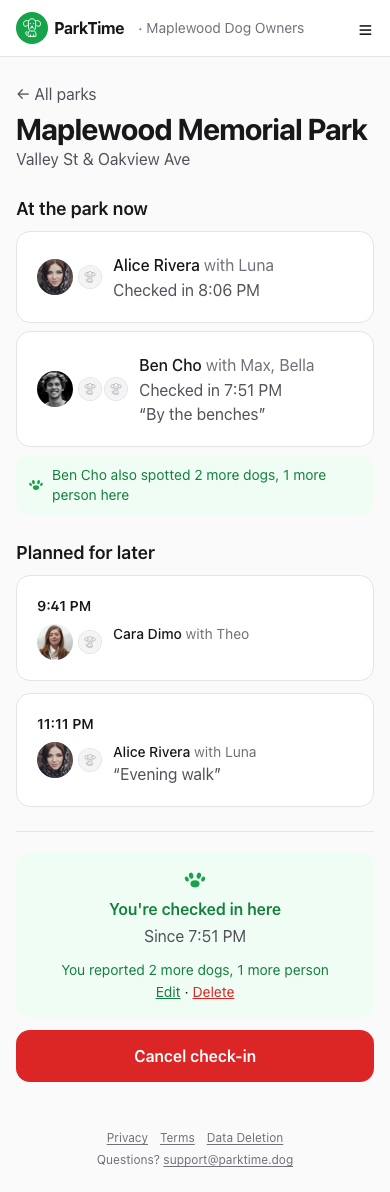
You're checked in
Everyone at the park can see you're there. Plans change — cancel your check-in anytime with one tap.
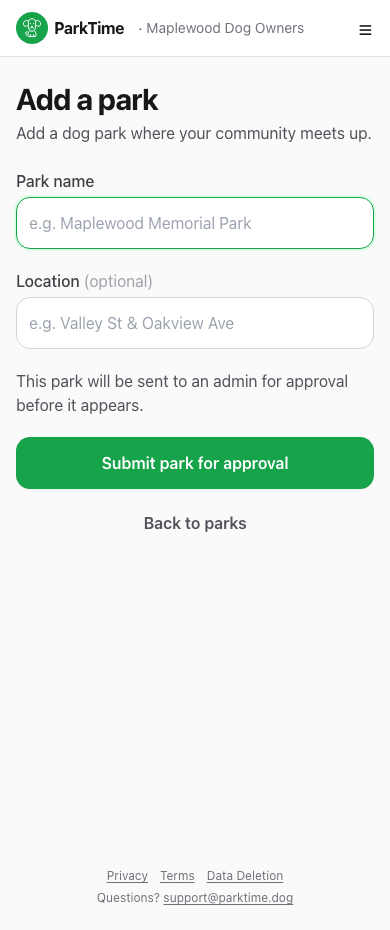
Know a park that's missing? Add it
Any member can suggest a new park. An admin approves it before it shows up for everyone else in the community.
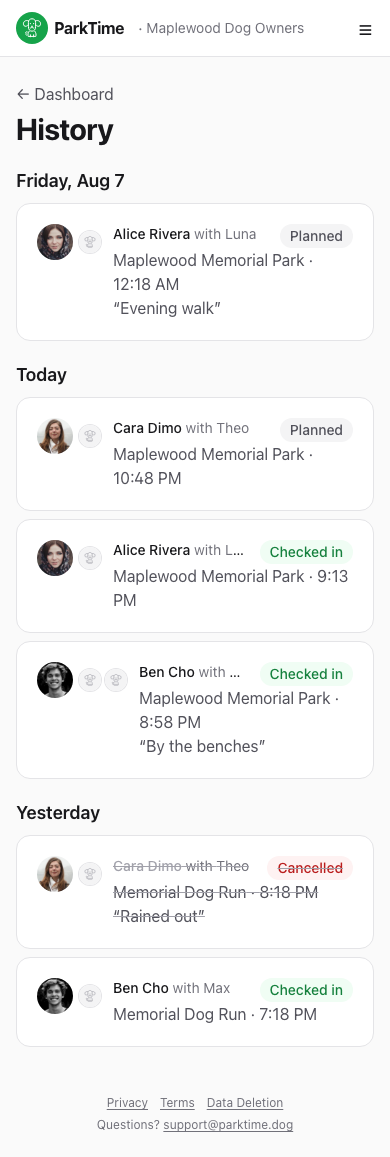
Look back anytime
Every check-in ever made in your community lives in History — a simple day-by-day log of who was where.
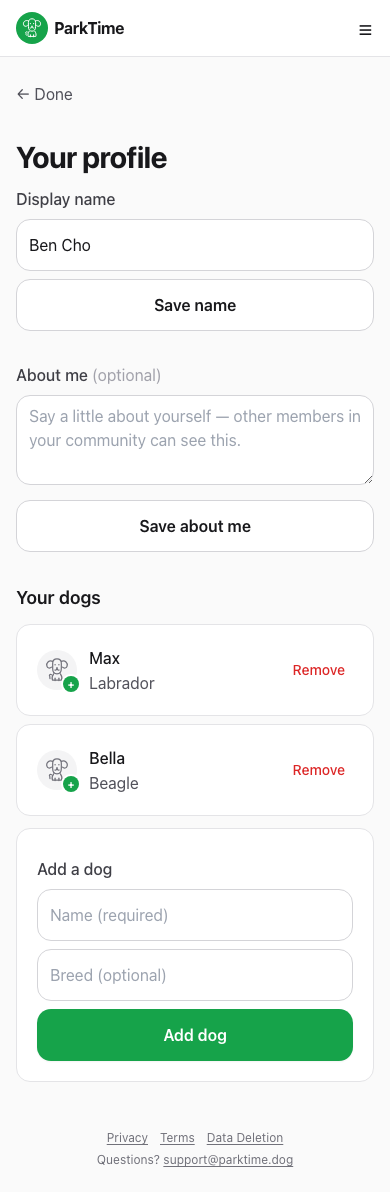
Make it yours
Add your name, a short bio, and your dogs so neighbors know exactly who's coming when they see your check-in.
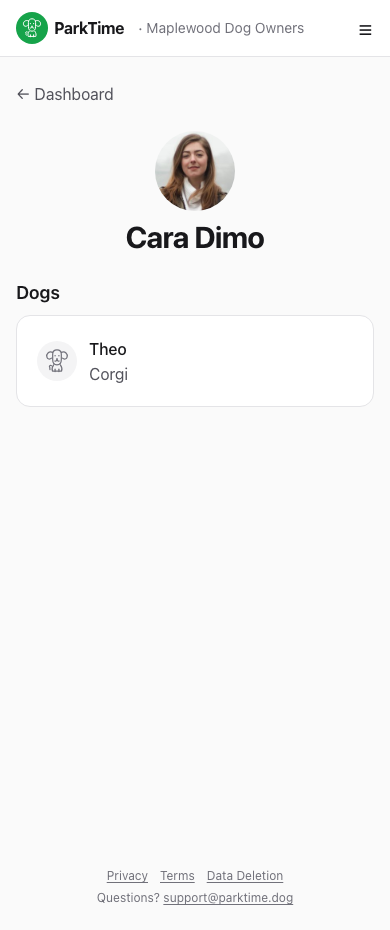
Get to know your neighbors
Tap any name — at a check-in, in history, anywhere — to see their dogs and a bit about them.
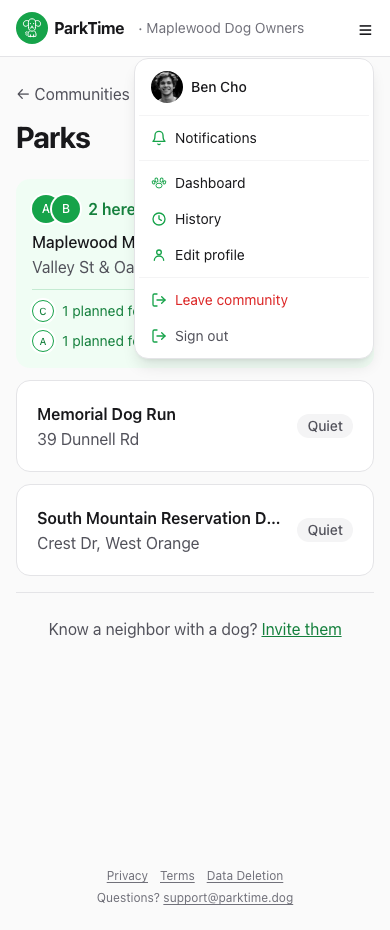
Everything else, one tap away
Notifications, dashboard, history, your profile, and leaving a community — the menu in the top corner always has you covered.